Watch it, play it, read it, fix it, share it.
Upload a recording of your playing. songfall turns it into falling notes and sheet music, with a studio to practise from them.
Watch
See the performance and the notes together
The video, the falling notes and the sheet play in step, with the bar, chord, key and tempo above them.
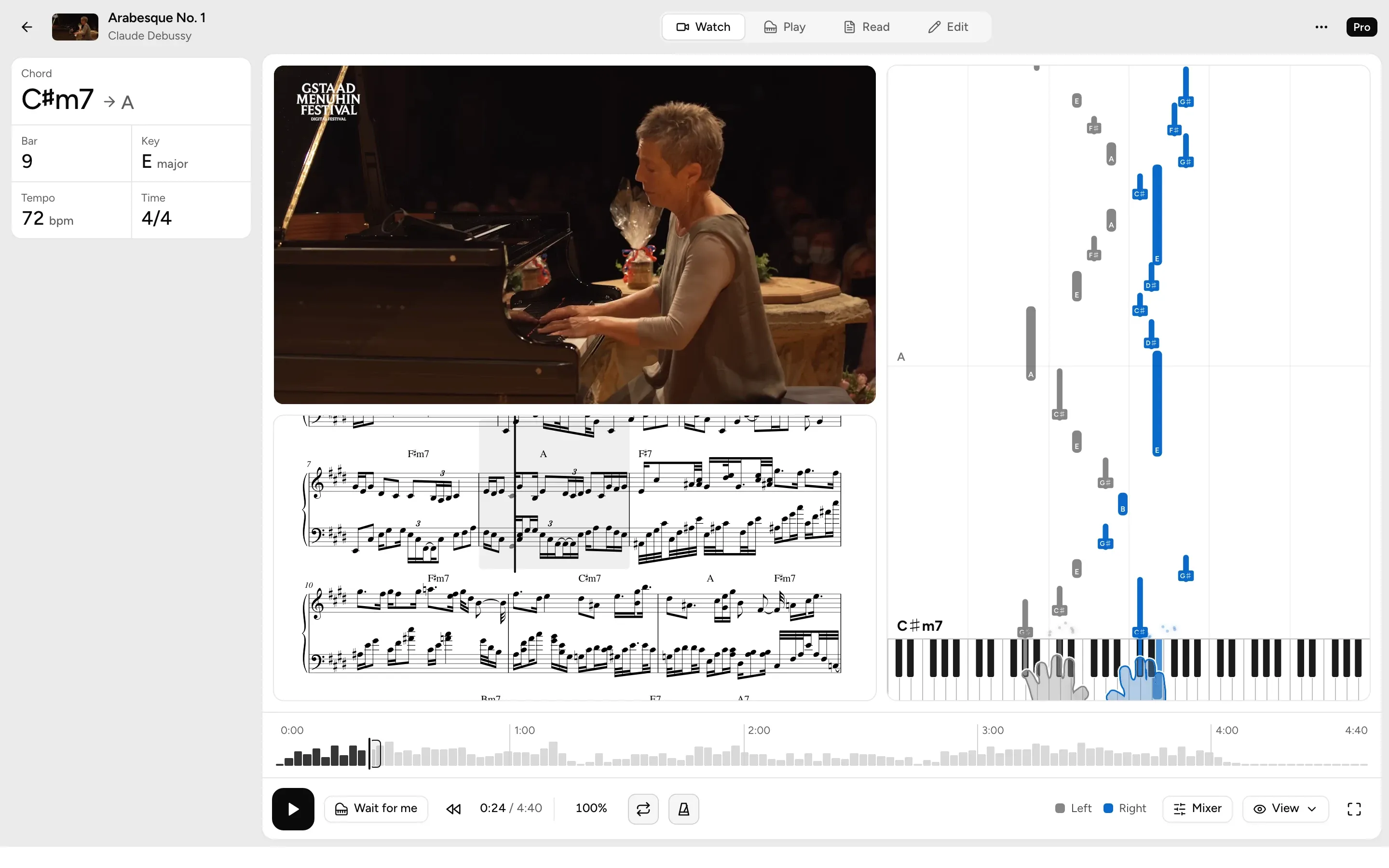
- Three views in stepThe video, notes and sheet move together as it plays.
- Chords as they changeThe chord playing now, and the one coming next.
- Hands from the videoProsongfall watches the pianist’s hands to tell left from right.
Play
Learn it a passage at a time
Drag across the bar ruler to pick a passage, then loop it with one hand or both until it sits under your fingers.
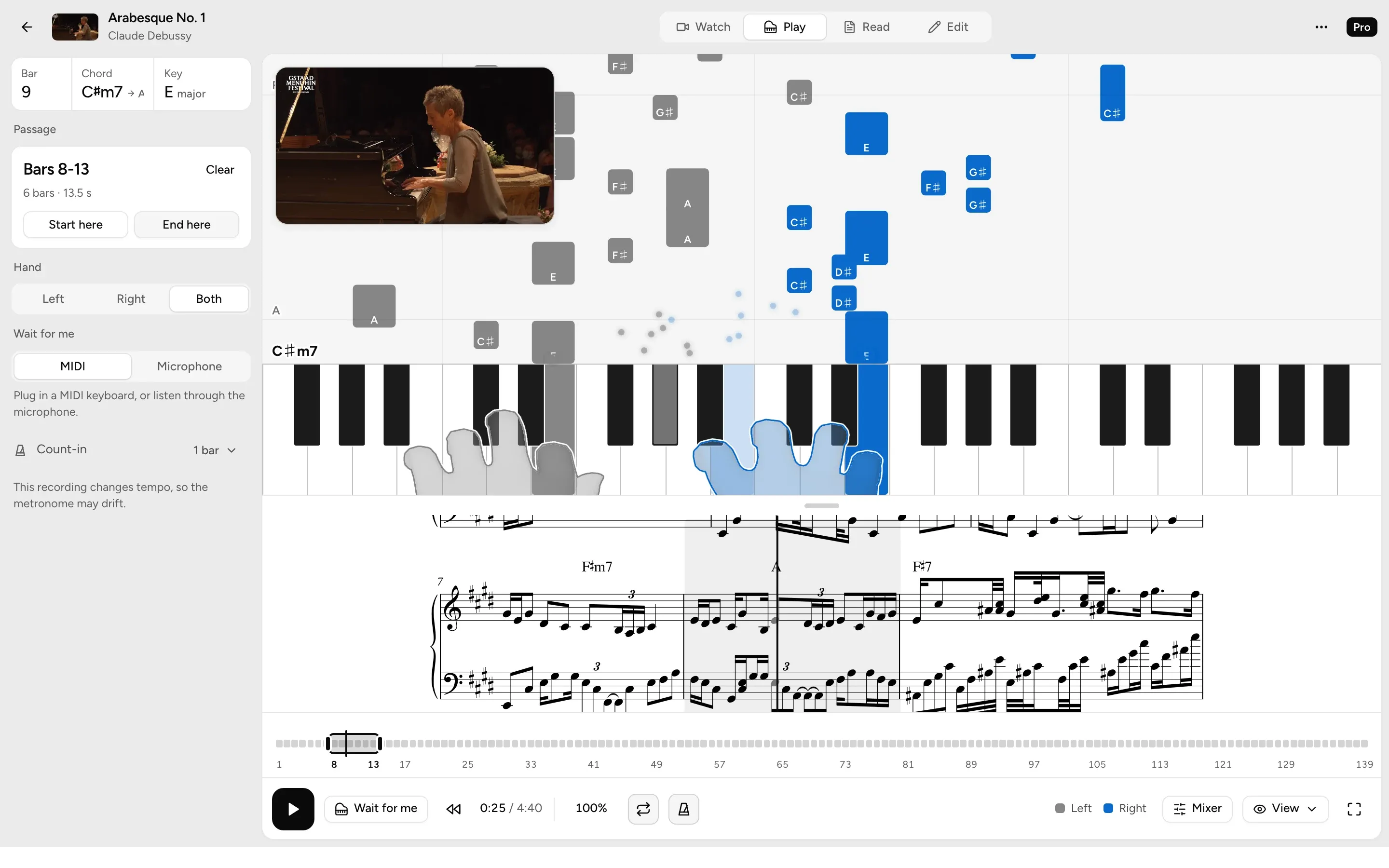
- Pick any barsOn the ruler, or with Start here and End here as it plays.
- One hand at a timeLeft, right, then both.
- Wait for meThe notes wait until you play them, on a MIDI keyboard or through the microphone.
- Slow it downFrom 50% to 120% speed, with the pitch kept.
- Speed trainerStarts at 60% and speeds up 5% with each clean pass.
- Count-inA bar of clicks before the passage starts.
Read
Sheet music from what songfall heard
Both hands engraved on a grand staff, laid out in pages you can play from or print.
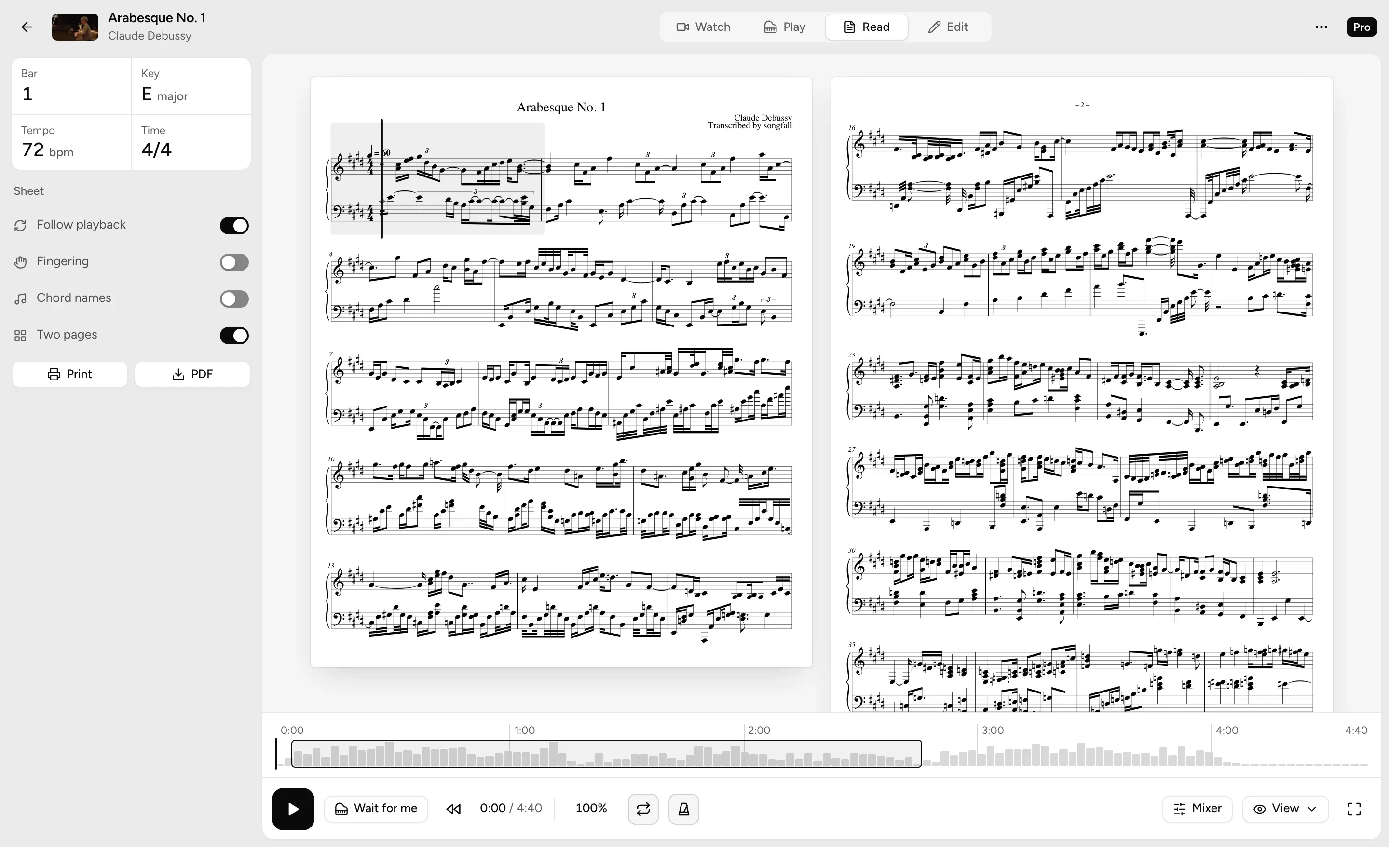
- Fingering and chord namesShow them when you want them, hide them when you don’t.
- Print itPrint the sheet on any plan.
- PDF, MIDI and MusicXMLProTake it into your own notation app, in any key.
Edit
Fix what it got wrong
Correct a note on the falling notes or the sheet, and the sheet rebuilds itself.
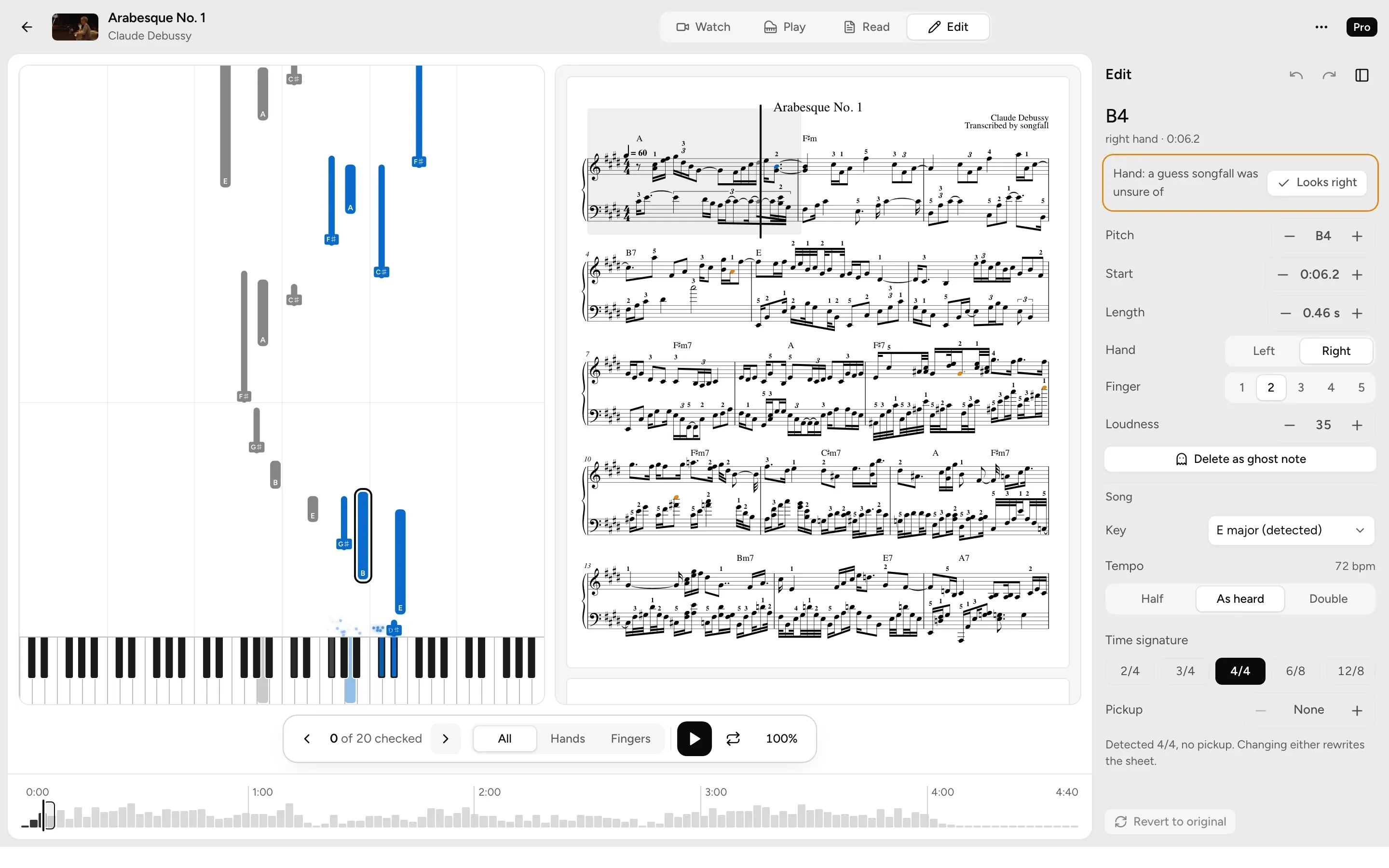
- Change any notePitch, timing, length, hand or finger.
- Check the doubtful notesStep through the 20 notes songfall was least sure of.
- Saves as you goUndo any edit, or go back to the original.
Video studioPro
Turn your playing into a video
Cut a passage of your own performance into a clip for Reels, TikTok or Shorts, with the notes falling under it.
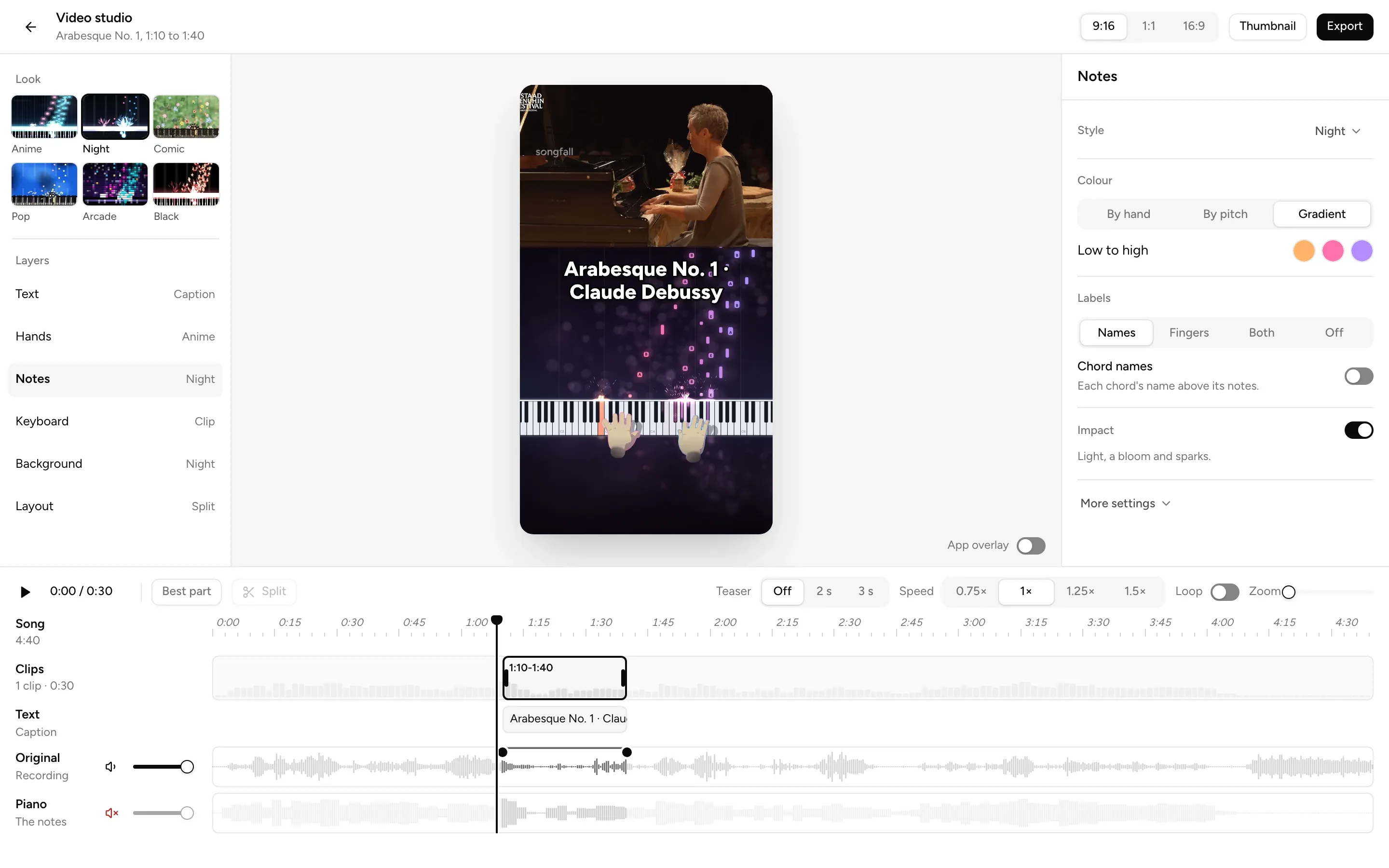
- Three shapesVertical 9:16, square, or wide 16:9.
- Mix the soundYour recording, the piano from the notes, or both.
- 60 fps, no watermarkRendered on your device, with the watermark off if you like.
Six looks
The same clip in each. Change the notes, keyboard, hands and background on their own too.
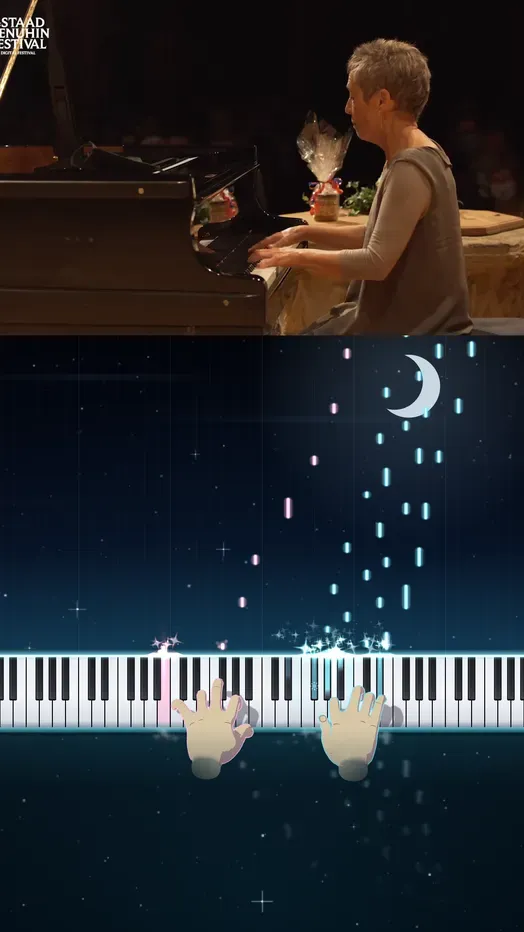 Anime
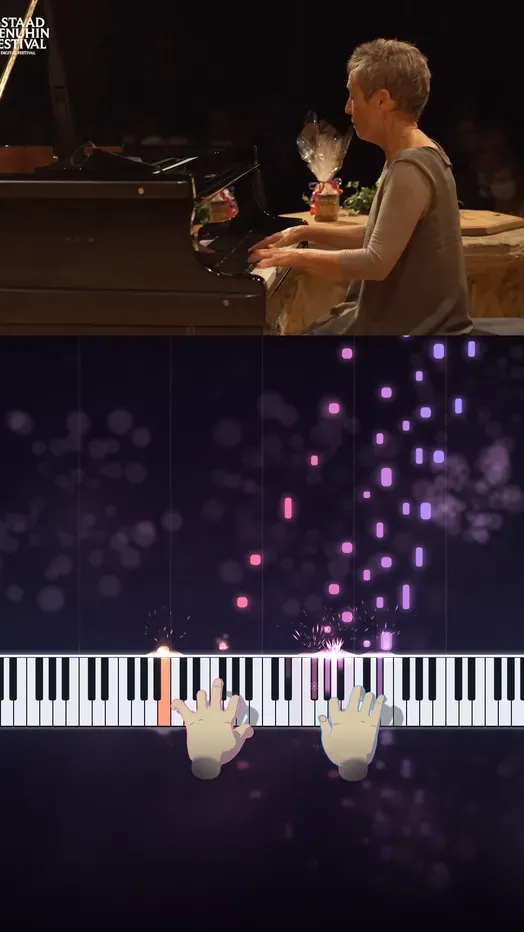 Night
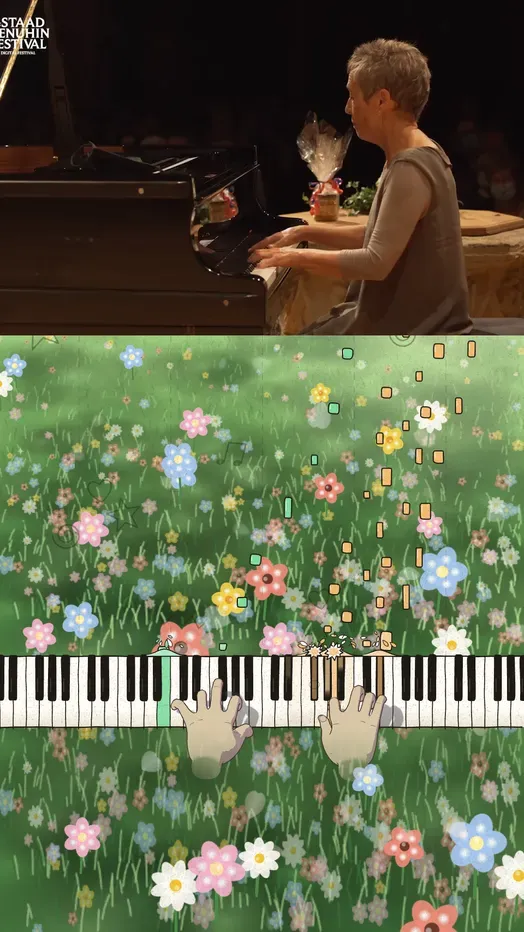 Comic
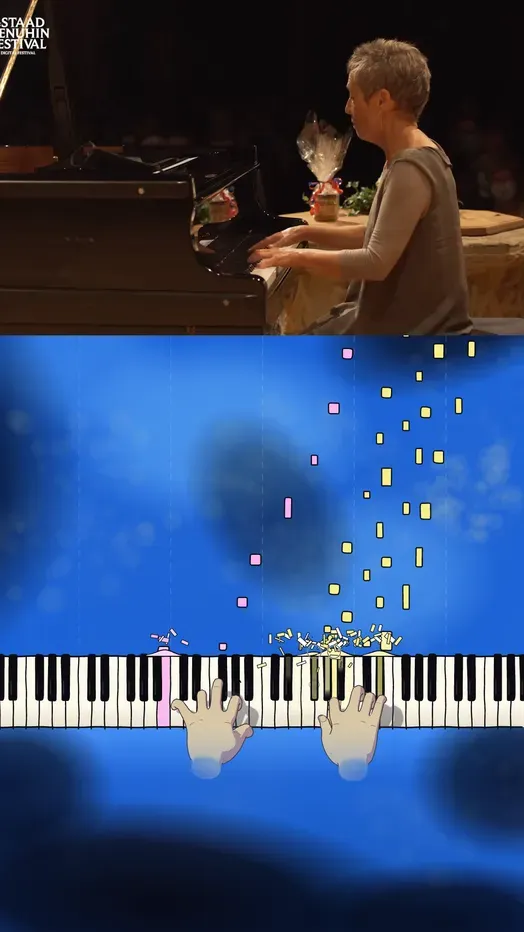 Pop
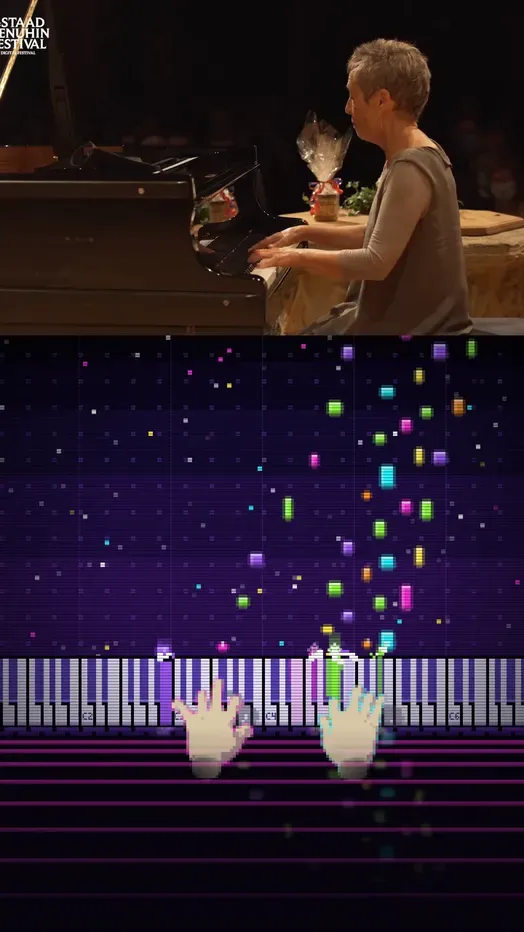 Arcade
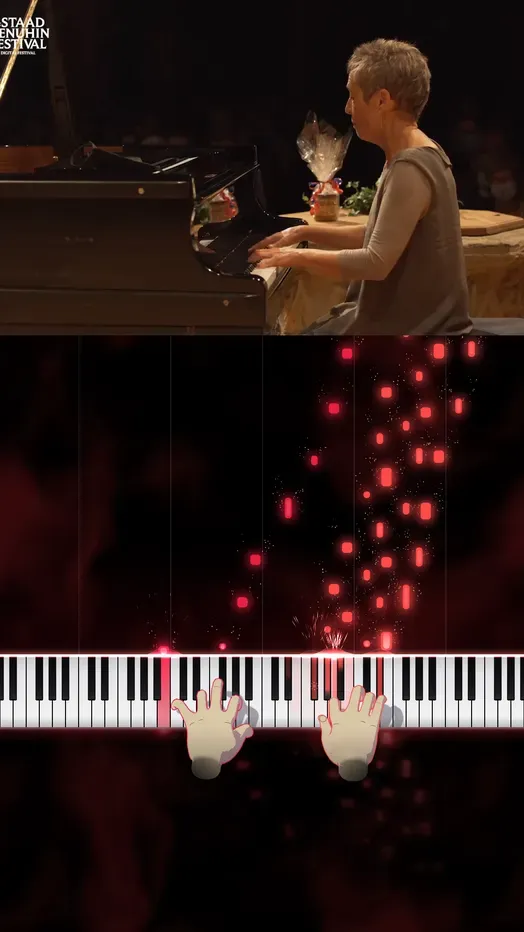 Black
Get early access
songfall opens to the waitlist first, in the browser, with the phone apps after.
- Coming soon toApp Store
- Coming soon toGoogle Play